The problem
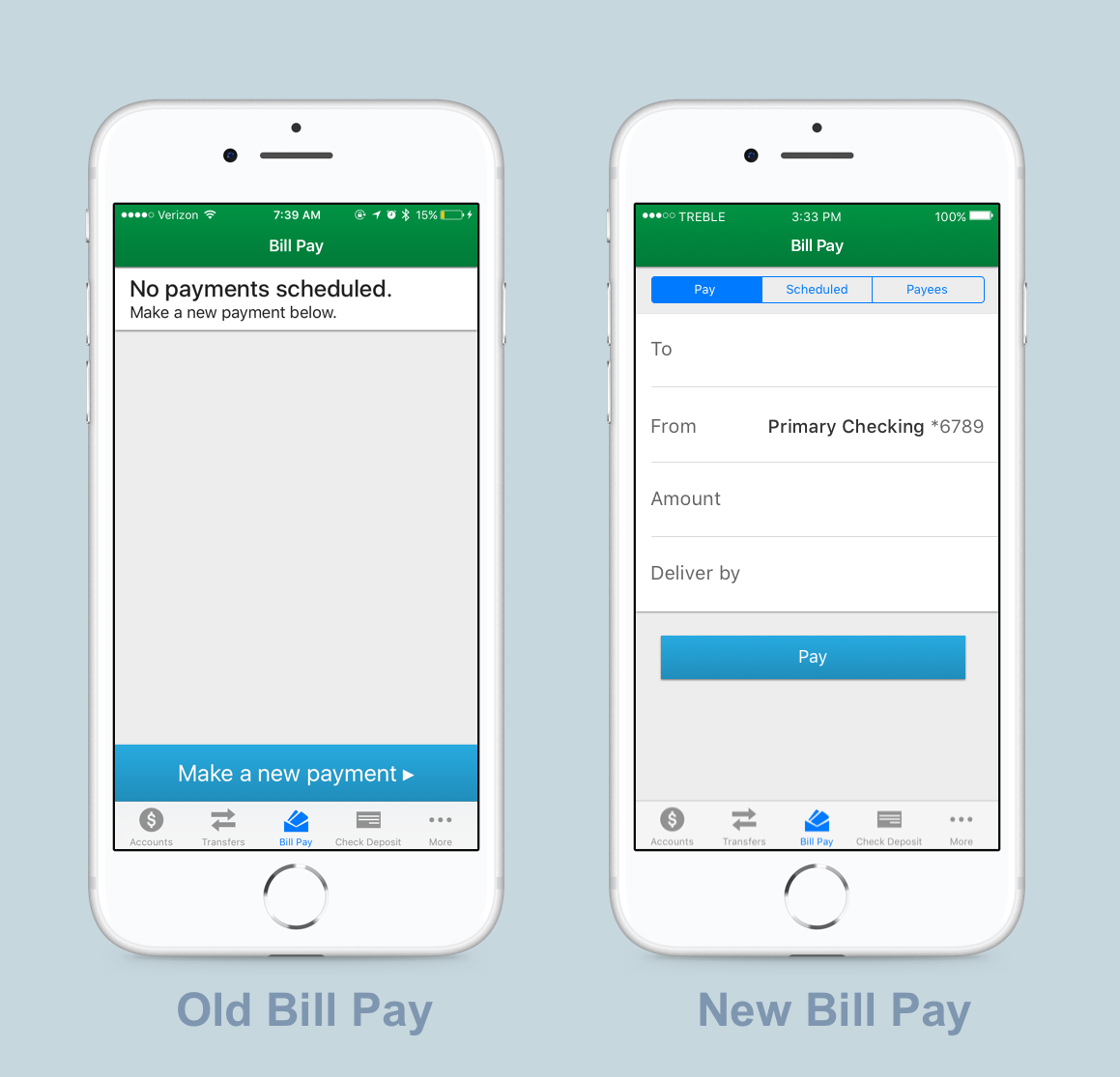
When users sign up for mobile banking, they are able to view balances, make transfers, and make mobile check deposits. While a bill pay feature existed, it was extremely limited and did not allow users to manage payees, view or file eBills, create automatic payments or edit scheduled payments. From a design and technical perspective, the experience was simple but behind many of our competitors.
Adding functionality proved necessary to maintain mobile banking’s success as a 4.7 star app in the Android and iOS market and reputation as a leader in the industry.
The Team
I served as design lead on the iOS and Android teams which were made of front and back-end developers, QAs, and one PM.
Project Scope
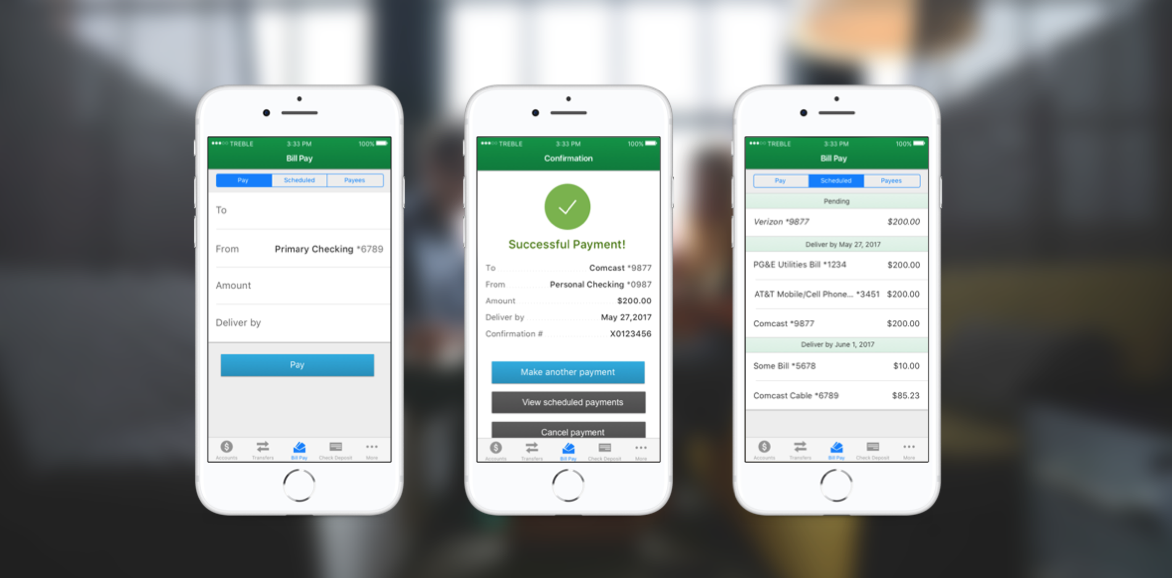
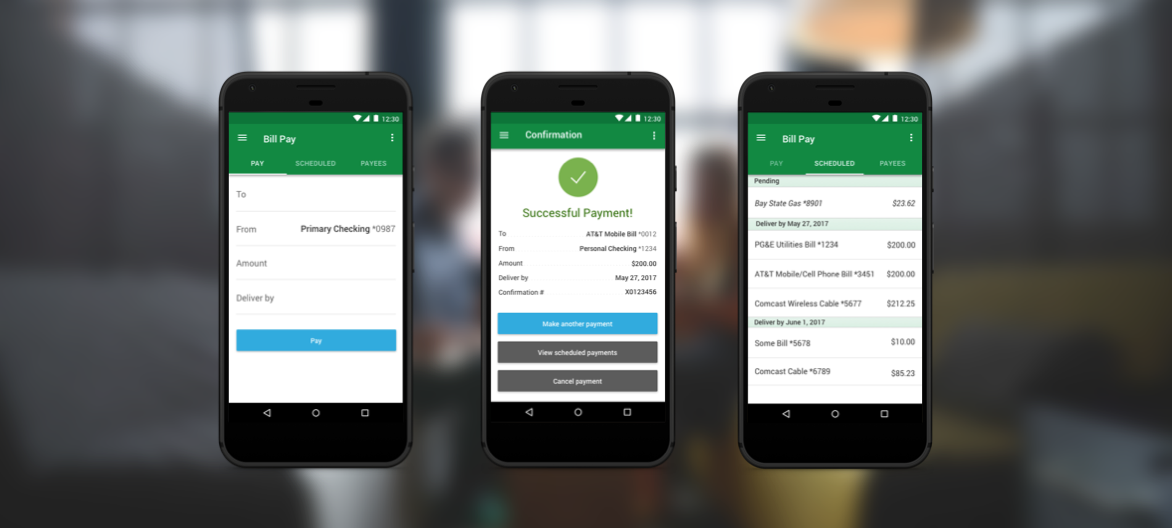
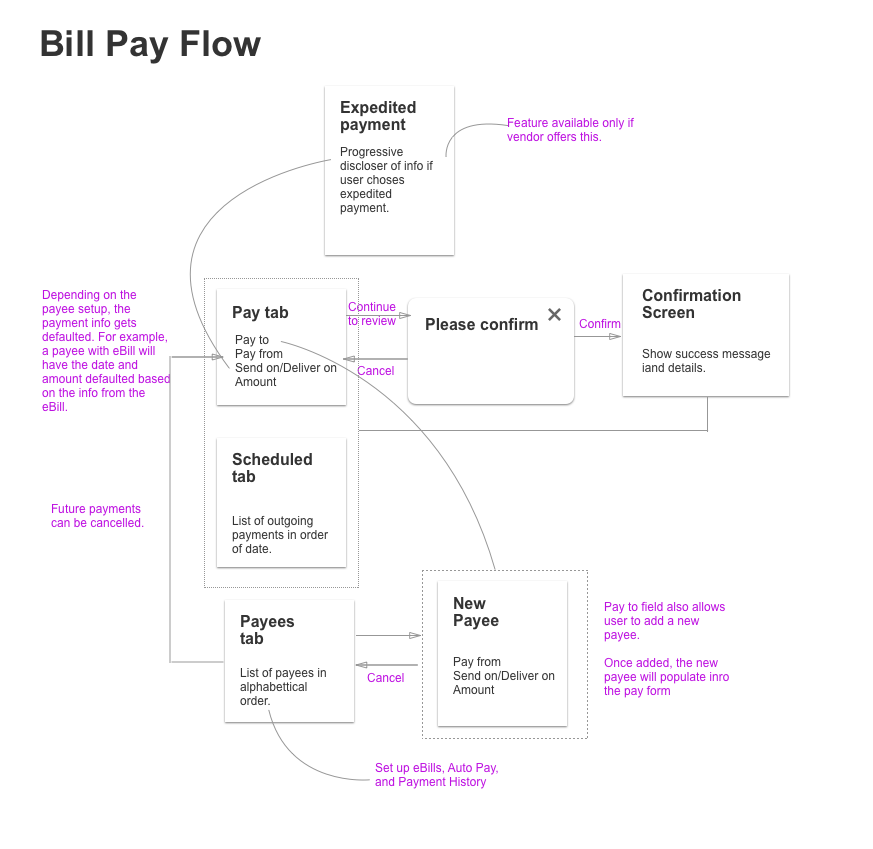
The scope of this work focused on optimizing the bill pay experience and finding simple and intuitive ways to add a lot of additional functionality. The new experience would be implemented across both platforms (iOS, and Android).
- Manage Payees
- Schedule Payments
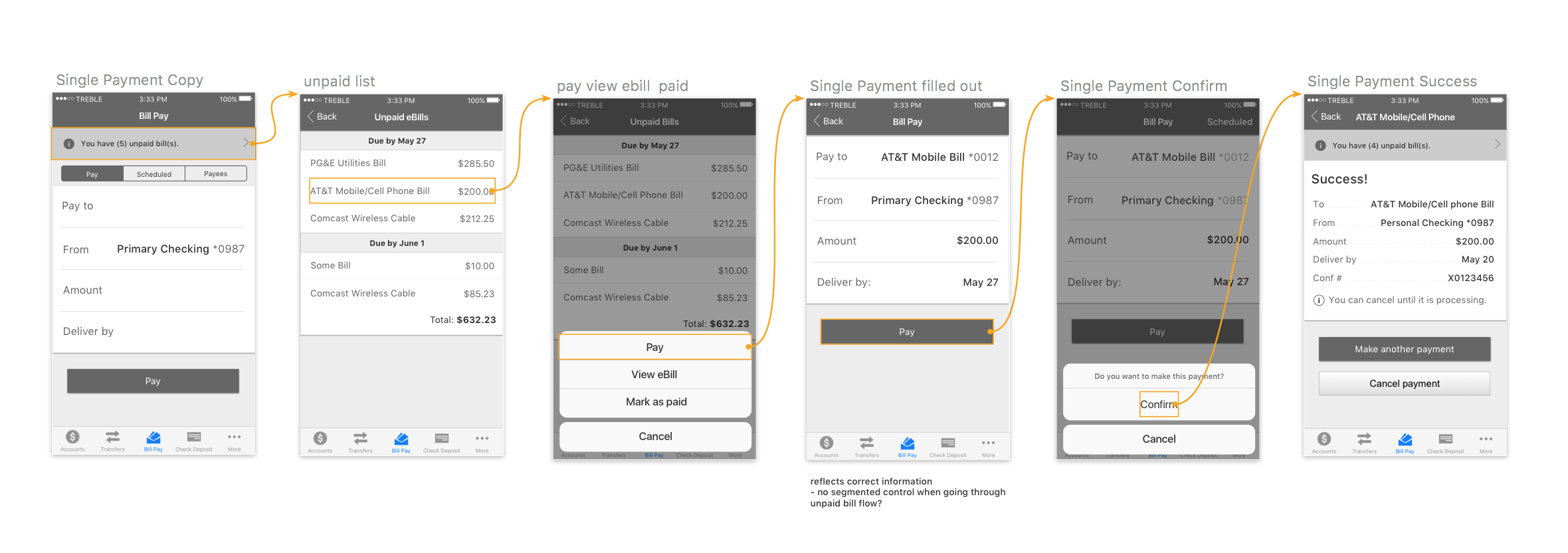
- View and Pay/File eBills
- Create Automatic Payments
- Expedited Payments
The Design Process
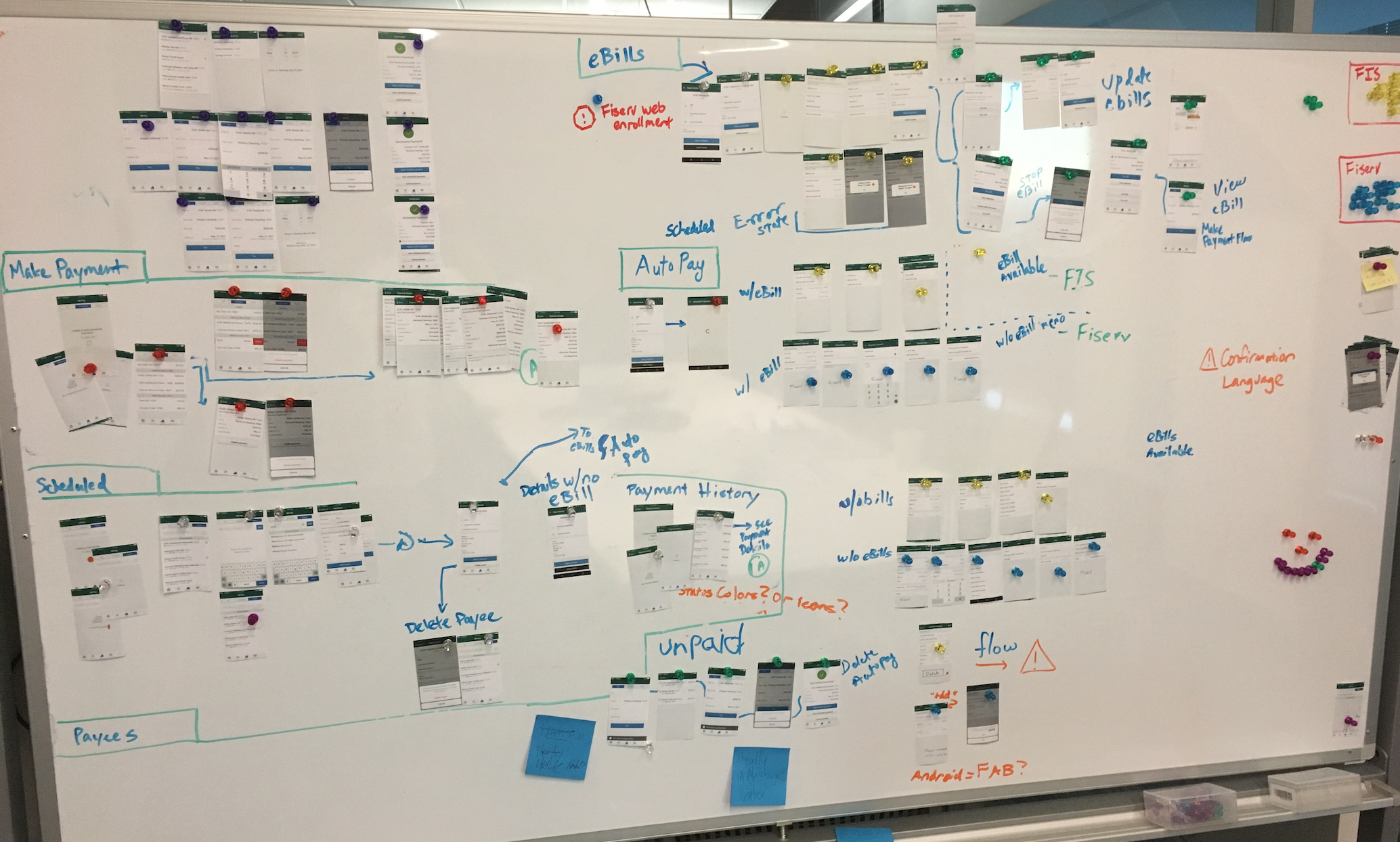
Through the support of my team and PM, I encouraged our team to leverage user research and testing to validate any solutions we designed. We also wanted to explore provocative solutions as well as near-term solutions.
Understanding the why with user research
With the help of our lead UX researcher, we began hosting user research sessions to understand how our users would use mobile bill pay. We visited credit unions and collected feedback from end users and recruited various participants to come into our office and test out three different bill pay flows. Here’s what we learned:
- Many users do not understand what eBills are
- Users do not know what “File” file means
- Making multiple payments in one flow was not important
- Many users are willing to pay a fee to have a bill overnighted
The Results
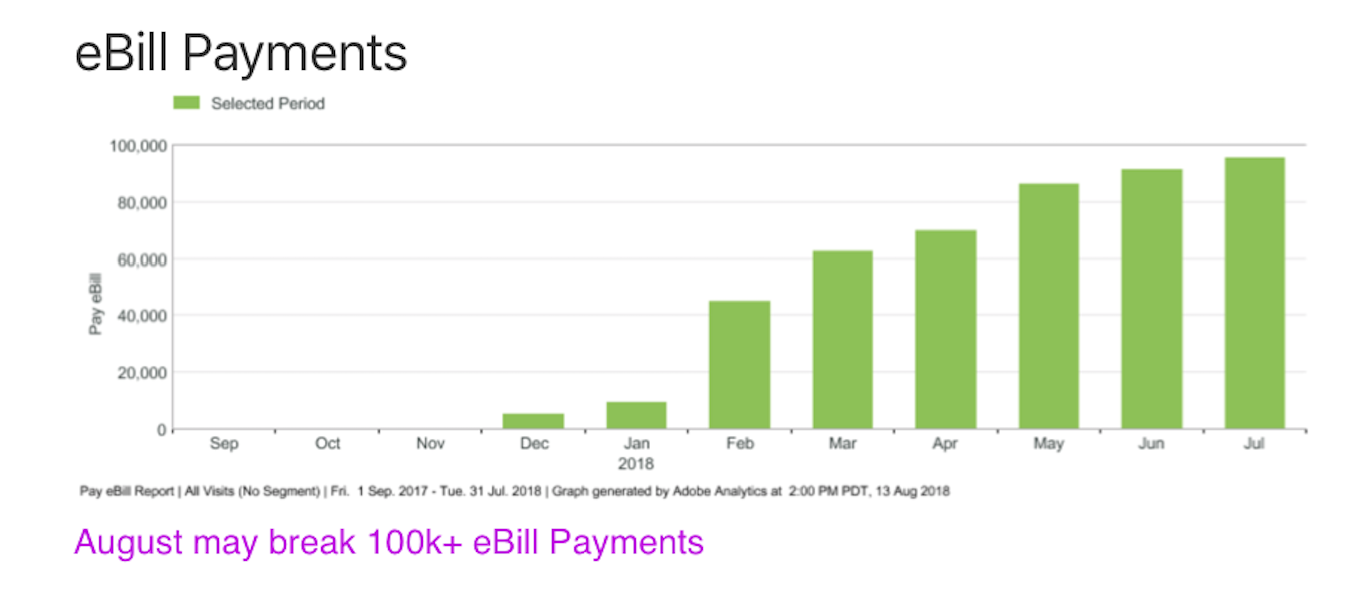
eBill use is rising! August may pass 100k payments.